L
O
A
D
I
N
G


Zoho, Odoo, ERPNext, Dynamics 365 and custom ERP, delivered by one accountable team.

Standard Dynamics 365 covers most needs. For the rest, we build extensions, reports and apps that survive Microsoft's update cycle and stay easy to maintain.
Dynamics 365 is customised in the UAE without breaking updates by using extensions rather than changing base code: AL extensions in Business Central, and X++ extensions with event handlers and Chain of Command in Finance and Supply Chain. Power Apps, Power Automate and Power BI add forms, approvals and reports outside the ERP code. Typical UAE work includes bilingual invoices showing the TRN.
Dynamics 365 customization in the UAE often begins with a reasonable request: an invoice layout in Arabic and English with the TRN in the right place, a second approval for purchase orders above a threshold, a field for a customer's trade license expiry, or a page that shows container numbers against a purchase order. Each one is small. Built carelessly, together they make the system hard to update.
Microsoft's modern model protects against that. In Business Central, changes are written in AL as extensions that sit on top of the base application rather than altering it. In Finance and Supply Chain Management, X++ extensions use event handlers and Chain of Command instead of overlayering. Around both, the Power Platform lets us add Power Apps, Power Automate flows and Power BI reports without touching ERP code at all.
Our rule is configuration first, extension second, custom app last. Many requests are met by standard setup, workflows or report layouts. Where code is needed, we keep it in your source control, document it and test it against each release wave. See also ERP customization services for the platform-neutral approach.

We often inherit Dynamics 365 systems where earlier customization created more problems than it solved.
We regularly find extensions that rebuild features Business Central already has, such as item charges, deferrals or approval workflows. That code then has to be maintained forever.
Extensions were published by the previous partner with their own publisher name and no code handed over. The customer cannot change or move them.
VAT rates or account numbers written into code instead of setup tables break when rules or the chart of accounts change, and they hide tax treatment from finance.
Tax invoices missing the TRN of the supplier or recipient, or with VAT amounts not shown in AED, create problems at audit.
Poorly written event subscribers or flow fields run on every posting and slow down sales and warehouse users during busy periods.
Each change moves through the same steps so you can see the cost, risk and benefit before we write code.
We ask what business problem the change solves and who will use it, then check whether standard configuration already handles it.
A one- or two-page specification describes fields, pages, logic, permissions and test cases. You approve it before development.
Code is written in your repository with automated tests where practical, following Microsoft's AL or X++ guidelines.
Your key users test with real scenarios, such as a zero-rated export invoice or a multi-level approval, before production deployment.
We release to production in an agreed window, update the customization register and brief the users affected.
These deliverables keep your Dynamics 365 maintainable by your team or any future partner.
Small changes are measured in days, larger extensions in weeks. These are typical ranges only.
Durations are typical ranges; your plan is agreed after discovery.
Invoice layouts, statements, extra fields on cards and documents.
Approval hierarchies, notifications and validation rules for purchasing, sales or payments.
New tables, pages and posting logic, such as rebate tracking, container costing or contract billing.
Mobile or tablet apps for site staff, inspections or delivery confirmation connected to Dynamics 365.
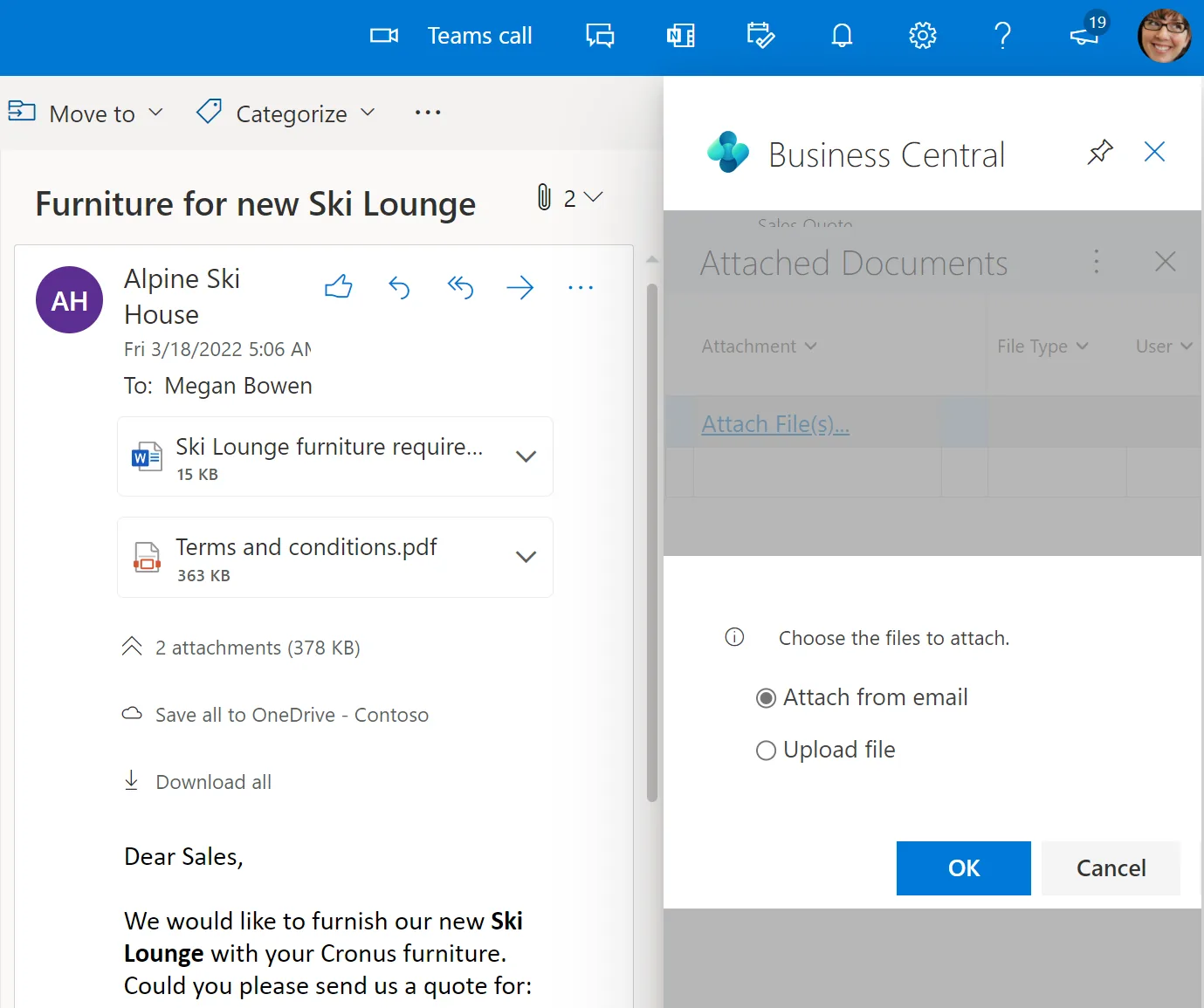
A customization register turns a pile of extensions into something you can manage.
The aim is a system that fits your business today and can still be updated next year.
Extensions built on events and Chain of Command are far less likely to break when Microsoft releases a new version.
Using standard features where possible means less code to test and support over time.
Owning source code and documentation means you are not locked into one provider.
Screens and reports that match real UAE workflows reduce workarounds outside the ERP.
Continue exploring.
We configure the system for the rules UAE businesses report against, and test it before go-live.
General information, not tax or legal advice. Confirm current requirements with the FTA, MOHRE or your advisor. See all UAE compliance guides.
On-site workshops in Dubai, Abu Dhabi and Sharjah, and remote or on-site delivery across the Northern Emirates and free zones.
Official sources and references
Facts on this page were checked against these sources in October 2026. Rules change, so confirm current requirements before acting.
Still have a question? Our consultants are happy to help.
Ask an ExpertExtensions built correctly do not block updates, but they must be compatible with each new version. Microsoft notifies admins about incompatible extensions ahead of updates, and we test in a sandbox before your update window.
Yes. We build bilingual report layouts with Arabic text, right-to-left sections where needed, and the TRN and VAT fields required on UAE tax invoices. Customer-specific language preferences can drive which layout prints.
Use an AL or X++ extension when the logic belongs inside posting or core documents. Use Power Apps for separate user experiences such as mobile site forms, where a lighter interface and offline use matter more.
Yes. Code developed specifically for you is stored in your repository and handed over with documentation. Third-party AppSource apps remain under their own publishers' licenses.
Yes. We review existing extensions, identify which can be replaced by standard features, fix compatibility issues and document what remains.
Tell us how your business runs today and where it gets stuck. We'll recommend the right platform, outline the implementation approach and give you a realistic timeline, with no obligation.
Dubai, United Arab Emirates