L
O
A
D
I
N
G


Zoho, Odoo, ERPNext, Dynamics 365 and custom ERP, delivered by one accountable team.

Most small businesses do not need a full ERP on day one. We set up the few Zoho apps you will actually use, configured for UAE VAT, and leave room to grow.
Most small businesses in the UAE need only Zoho Books for invoicing, expenses, bank feeds and VAT returns, plus Bigin by Zoho or an entry-level Zoho CRM to track enquiries. Zoho One is usually worth comparing later, once several apps such as HR, helpdesk and projects are needed. Both apps run in a browser and on mobile and support Arabic on customer-facing documents.
Zoho for small business in the UAE usually starts with one question from the owner: how do I stop chasing invoices in WhatsApp and spreadsheets without paying for software I will never open? For a trading start-up in Deira, a two-partner consultancy in Business Bay or a maintenance contractor in Ajman, the answer is rarely a large system. It is a clean accounting file, a simple sales pipeline and a habit of recording things in one place.
Zoho fits that stage well. Zoho Books handles quotes, tax invoices, expenses, bank feeds and VAT returns. Bigin by Zoho, or the entry edition of Zoho CRM, tracks enquiries without a complex sales process. Both run in a browser and on mobile, both support Arabic on customer-facing documents, and both connect to the wider Zoho suite when you are ready for it.
Our approach for small companies is deliberately modest. We configure what you need now, train the owner and the one or two people who keep the books, and write down when it would make sense to add more. If you outgrow the lean setup, our page on Zoho for SMEs covers the next stage.

The products we configure, integrate and support on projects like this one.


Product names and logos are trademarks of their respective owners and are shown only to identify the software we implement.
These problems show up in almost every owner-led company we speak to, whatever the trade.
Invoices made in Word or Excel often miss the TRN, the VAT amount in AED or the words 'Tax Invoice'. Fixing them later is painful when the FTA asks questions.
Owners lose track of rolling 12-month turnover against the AED 375,000 mandatory threshold. A system that totals taxable supplies month by month makes the decision visible.
Without reminders or an ageing view, overdue invoices are noticed only when the bank balance is low. Small companies cannot afford that lag.
Leads arrive by WhatsApp, Instagram and phone calls to different staff. Nobody can see which quotes are waiting for a reply.
When the accountant visits once a month, receipts and bank statements pile up. A shared cloud file lets them work remotely and keeps records current.
This is the flow we configure for most small companies. It covers the work that actually happens every week.
One shared database: every step updates stock, finance and reports in real time.
Start with the first two or three. The rest are optional and can be added when a clear need appears.
Quotes, tax invoices, credit notes, bills, bank reconciliation and the VAT return summary. This is the core of any small business setup.
A pipeline-first CRM built for small teams. It tracks enquiries and deals without the configuration effort of a full CRM.
A simple invoicing tool for very small or not-yet-VAT-registered businesses. Most owners move to Zoho Books once they register for VAT.
Staff photograph receipts on their phones and submit claims. Useful once more than two or three people spend company money.
Only needed if you hold stock in more than one location or sell through online channels. Otherwise Zoho Books item tracking is enough.
Send quotes, contracts and service agreements for e-signature. Saves printing and scanning for small service firms.
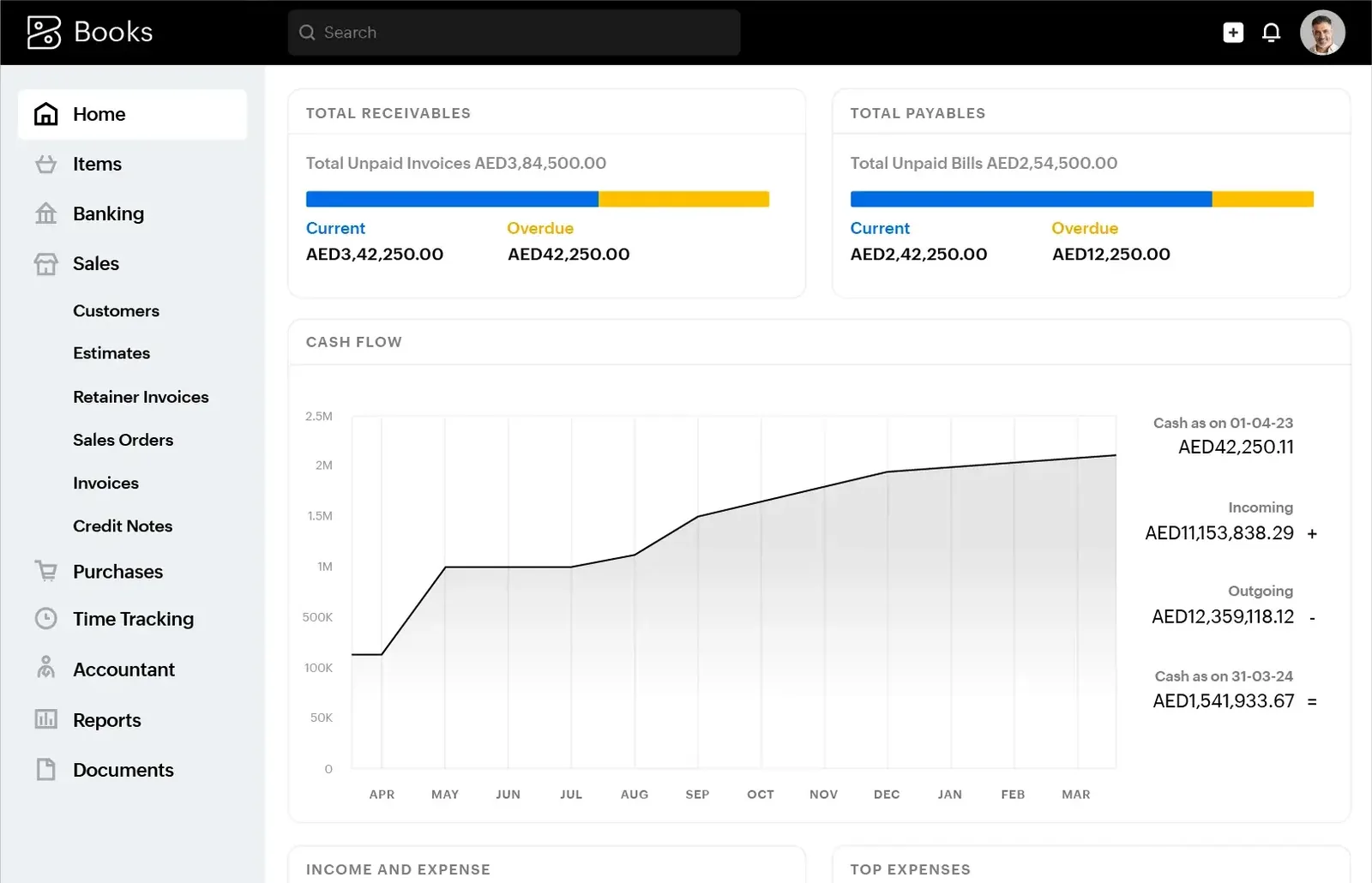
We set up one screen in Zoho Books that the owner checks each morning. It replaces the habit of asking the accountant for a balance.
Small companies face the same tax rules as large ones, with fewer people to manage them. These settings matter most. Confirm thresholds and treatment with your tax advisor.
Mandatory registration applies once taxable supplies pass AED 375,000 in 12 months, with voluntary registration from AED 187,500. Zoho Books can print your TRN, VAT breakdown and required fields on every tax invoice.
Zoho Books summarizes output and input VAT by emirate and category in a layout that follows the return. You or your accountant review it and file on EmaraTax, usually quarterly.
Corporate tax is 0% up to AED 375,000 of taxable income and 9% above. Small Business Relief for revenue up to AED 3 million is available for tax periods ending on or before 31 December 2026, so clean books matter for the election.
Businesses under AED 50 million revenue are expected to appoint an Accredited Service Provider by 31 March 2027, with e-invoicing mandatory from 1 July 2027. Keeping customer TRNs and addresses complete now makes the switch easier. Check the latest Ministry of Finance and FTA guidance.
General information, not tax or legal advice. Rules change; confirm current FTA, MOHRE and Ministry of Finance guidance with your advisor.
Small setups are quick when the owner can give a few focused hours. These ranges are typical, not guaranteed.
Durations are typical ranges; your plan is agreed after discovery.
We review how you sell, invoice and pay, and agree which apps to start with.
Organization profile, TRN, VAT settings, chart of accounts, templates, customers, items and opening balances.
Bank feeds or statement imports, payment gateway connection and reconciliation rules.
Daily invoicing, weekly reconciliation and the quarterly VAT routine.
We review the first VAT period with you and adjust anything that is not working.
Compare platforms, look at individual Zoho apps, or read our broader small business ERP guide.
We configure the system for the rules UAE businesses report against, and test it before go-live.
General information, not tax or legal advice. Confirm current requirements with the FTA, MOHRE or your advisor. See all UAE compliance guides.
On-site workshops in Dubai, Abu Dhabi and Sharjah, and remote or on-site delivery across the Northern Emirates and free zones.
Official sources and references
Facts on this page were checked against these sources in October 2026. Rules change, so confirm current requirements before acting.
Still have a question? Our consultants are happy to help.
Ask an ExpertUsually not at the start. Many small companies run well on Zoho Books plus Bigin or a basic CRM. Zoho One becomes worth comparing once you need several apps such as HR, helpdesk and projects for more than a few users.
Zoho Books supports bilingual invoice templates, so you can show Arabic and English labels and customer details. We set up the template with your logo, TRN and the fields your accountant expects.
No. Starting with proper invoices and a clean customer list now makes registration simpler later. The system can also help you watch turnover against the registration threshold.
Yes. Zoho Books lets you invite an accountant user with the access you choose. They can reconcile, review VAT and post adjustments without you emailing files back and forth.
Zoho Inventory and Zoho Projects connect to Zoho Books, so you add them without starting again. We plan the item and customer structure on day one so that later step is straightforward.
Tell us how your business runs today and where it gets stuck. We'll recommend the right platform, outline the implementation approach and give you a realistic timeline, with no obligation.
Dubai, United Arab Emirates