L
O
A
D
I
N
G


Zoho, Odoo, ERPNext, Dynamics 365 and custom ERP, delivered by one accountable team.

Once a company has separate sales, finance, HR and operations teams, the hard part is keeping them on the same data. We design Zoho for that stage.
Zoho One is usually a good fit for UAE SMEs with separate sales, finance, HR and operations teams, because it puts Zoho CRM, Books, Inventory, People, Payroll, Desk, Projects and Analytics under one directory and admin panel. The aim is to switch on only the apps each department needs, with consistent approval rules and branch or cost-centre reporting across emirates.
Zoho for SMEs in the UAE is a different exercise from setting up a small business. A company with 40, 120 or 200 people has department heads, a finance manager who needs approvals before money leaves, an HR team running WPS payroll, and often a second branch in Abu Dhabi or Sharjah. The question is no longer which app to buy. It is how those teams share customers, items, employees and budgets without re-keying data.
Zoho One is usually the right frame for this stage because it puts CRM, Books, Inventory, People, Payroll, Desk, Projects and Analytics under one directory and one admin panel. Users sign in once, the apps share a single organization, and permissions are managed centrally. That does not mean every app should be switched on. We map your departments to the apps that match their work and leave the rest off.
We also look at whether Zoho is the right fit at all. If your SME has heavy manufacturing or complex warehouse operations, we will compare it honestly with Odoo, ERPNext or Business Central; our Zoho vs Dynamics 365 for SMEs page sets out that trade-off.

The products we configure, integrate and support on projects like this one.


Product names and logos are trademarks of their respective owners and are shown only to identify the software we implement.
Growth exposes gaps that were invisible when the company was smaller. These are the common ones.
Sales lives in one CRM, finance in desktop accounting, HR in spreadsheets and support in a shared inbox. Management reports take days because someone has to merge them.
Purchase requests and expense claims are approved by WhatsApp message, if at all. Finance discovers commitments only when the supplier bill arrives.
A Dubai head office and a Sharjah warehouse share one profit figure. Managers cannot see which location earns its keep.
HR builds the WPS salary file by hand each month and calculates gratuity in Excel. Errors surface when employees query their pay.
Sales cannot see that a customer has three open support tickets and an overdue invoice. Account managers walk into meetings without the full picture.
Each department buys its own subscription. Costs rise and nobody owns user access when staff leave.
This example shows one sale moving across teams, with each step owned by a different department but recorded on shared data.
One shared database: every step updates stock, finance and reports in real time.
The exact list depends on your departments. This is a common starting set for a UAE company of 30 to 200 people.
Pipelines per business line, territory rules, quotes and approval processes for discounts above a set level.
Multi-branch accounting with branch-wise transactions, VAT returns, purchase approvals and budget versus actual reports.
Multi-warehouse stock, batch and serial tracking, and sales and purchase orders shared with Zoho Books.
Employee records, leave policies, attendance and document expiry tracking for visas, Emirates IDs and labour cards.
UAE payroll with allowances, deductions, gratuity accruals and WPS salary file generation for your bank or exchange.
Ticketing for customer support or after-sales service, linked to the CRM account so sales can see open issues.
Employee claims, corporate card reconciliation and multi-level approvals before posting to Zoho Books.
Management reports that combine CRM, Books, Desk and People data into one view per branch or department.
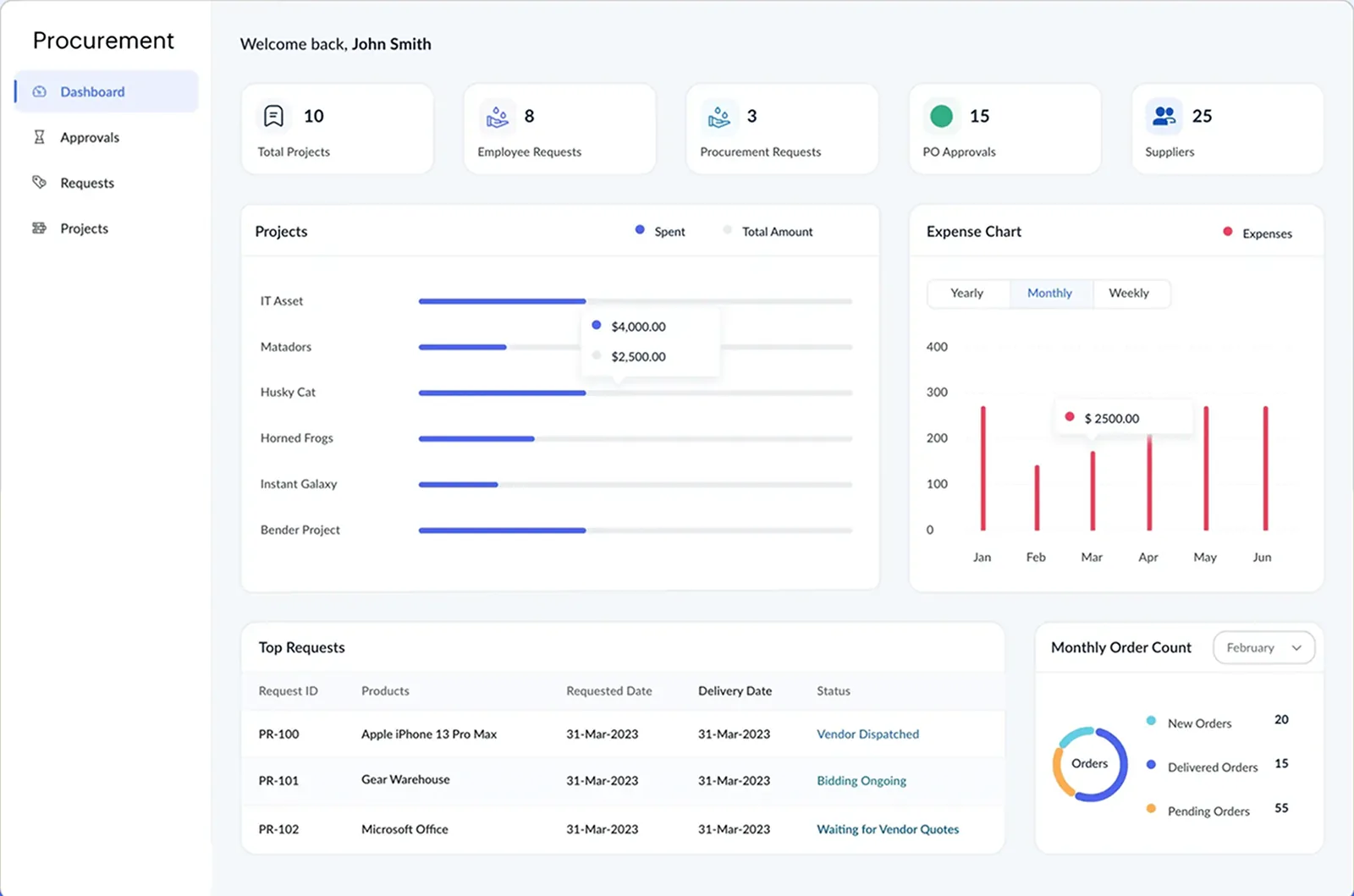
For SMEs, the first dashboard finance asks for is usually about commitments, not revenue. We build it so pending approvals never sit unnoticed.
At SME size, compliance touches finance, HR and IT. Treat these as configuration notes, and confirm tax treatment with your advisor.
Zoho Books records the emirate of supply on each transaction so the VAT return breakdown is correct when you sell from more than one location.
With 9% applying above AED 375,000 of taxable income, a clean chart of accounts and tagged non-deductible expenses make the annual return on EmaraTax easier to prepare.
SMEs with revenue of AED 50 million or more face mandatory e-invoicing from 1 January 2027; those below follow from 1 July 2027, each with an earlier deadline to appoint an ASP. Check the latest Ministry of Finance and FTA guidance.
Zoho Payroll generates the Salary Information File used for WPS payments under MOHRE rules and accrues end-of-service gratuity in line with the UAE Labour Law.
Zoho One's admin panel centralizes user provisioning, so leavers lose access to every app in one step. We also set up role-based access by department.
General information, not tax or legal advice. Rules change; confirm current FTA, MOHRE and Ministry of Finance guidance with your advisor.
We phase SME rollouts by department so daily work keeps moving. Durations are typical ranges and depend on data quality and team availability.
Durations are typical ranges; your plan is agreed after discovery.
Workshops with sales, finance, HR, operations and support to map processes and data ownership.
Zoho Books with branches and approvals, Zoho CRM pipelines, and the sync rules between them.
Zoho Inventory, Zoho People and Zoho Payroll, including the first parallel WPS run.
Zoho Desk, Zoho Expense and the management dashboards in Zoho Analytics.
Hypercare, admin handover and a review of adoption by department.
Compare platforms for mid-sized companies and see how each Zoho app fits.
We configure the system for the rules UAE businesses report against, and test it before go-live.
General information, not tax or legal advice. Confirm current requirements with the FTA, MOHRE or your advisor. See all UAE compliance guides.
On-site workshops in Dubai, Abu Dhabi and Sharjah, and remote or on-site delivery across the Northern Emirates and free zones.
Official sources and references
Facts on this page were checked against these sources in October 2026. Rules change, so confirm current requirements before acting.
Many companies of that size run on Zoho One, especially in trading, services and distribution. The fit depends more on process complexity than headcount. Heavy manufacturing or complex warehousing may point to another platform, and we will say so.
Yes. Zoho Books supports branches, so you can record transactions per location and run branch-wise reports. For separate legal entities you would use separate organizations and consolidate reporting in Zoho Analytics.
Zoho Payroll's UAE edition supports generating the WPS Salary Information File and calculating gratuity. We test the file format with your bank or exchange house before the first live run.
Each app has its own approval features: approval processes in CRM, transaction approvals in Books, multi-level approvals in Expense and leave workflows in People. We design the rules together so thresholds and approvers are consistent.
We usually advise a phased approach starting with finance and sales, then operations and HR. It lowers risk and lets each team learn the system before the next one joins.
Yes. Zoho integrates well, and some SMEs keep an outsourced payroll provider. We can import payroll journals into Zoho Books so finance still sees the full cost picture.
Related Solutions
Related Industries
Related ERP Platforms
Share your departments and branches, and we will propose a phased Zoho One plan with clear owners for each stage.
Dubai, United Arab Emirates