L
O
A
D
I
N
G


Zoho, Odoo, ERPNext, Dynamics 365 and custom ERP, delivered by one accountable team.

We set up Zoho Inventory around how your goods actually move, from the supplier's container to the customer's delivery note, so stock figures stay reliable after go-live.
Implementing Zoho Inventory in the UAE is mainly a data and process exercise: designing item codes, units of measure such as cartons versus pieces, warehouses and batch, expiry or serial rules before loading opening stock. The setup is then linked to Zoho Books, tested end to end with real sales, purchase and VAT documents, and handed over at go-live.
A Zoho Inventory implementation in the UAE is mostly a data and process exercise, not a software installation. The app itself is ready in minutes. The work is in deciding how items are coded, which units of measure apply, how many warehouses you really run, and which products need batch, expiry or serial numbers before a single opening balance is entered.
Most of the businesses we work with are traders and distributors in Deira, Al Quoz, Jebel Ali or Sharjah who have outgrown spreadsheets or a basic accounting package. They buy in cartons, sell in pieces, hold stock in a main warehouse plus a showroom, and need the sales team to see what is available before promising a delivery date. Zoho Inventory handles that well when it is configured with care.
As a Zoho Premium Partner based in Dubai, we connect Zoho Inventory to Zoho Books for VAT accounting, link online channels where they apply, and train warehouse staff on the mobile app. If you are still choosing between apps, our page on Zoho Inventory in the UAE covers features and fit in more detail.

The products we configure, integrate and support on projects like this one.


Product names and logos are trademarks of their respective owners and are shown only to identify the software we implement.
These issues show up in almost every discovery session with UAE trading and distribution teams. Fixing them is part of the implementation, not an afterthought.
The same product often exists three times under different names typed by different buyers. Loading that list as-is makes stock reports meaningless from day one.
Suppliers invoice in cartons or pallets while customers buy single units. Without clear unit conversions, purchase costs and selling prices drift apart quietly.
Sales staff promise goods already reserved for another customer. Zoho Inventory separates stock on hand from stock committed to sales orders, but only if orders are raised in the system.
Food, cosmetics, pharmaceuticals and electronics traders need to know which batch or serial went to which customer. Paper records make recalls and warranty claims slow and risky.
When stock lives in one tool and accounts in another, the inventory value on the balance sheet rarely agrees with the warehouse count. Month-end becomes a reconciliation project.
Each step ends with something you can review and sign off, so there are no surprises at go-live.
We walk through receiving, put-away, picking, packing and delivery with your storekeeper and sales coordinator, and note where documents are created and who approves them.
We agree on SKU structure, item groups for variants such as size and color, composite items for kits, units of measure, reorder points and which items need batch or serial tracking.
We set up warehouses, price lists, tax rates, document templates with your TRN, and the Zoho Books connection so every invoice and bill posts to the correct accounts.
Opening quantities and values are loaded per warehouse after a physical count, with batch and serial details where required, and reconciled to your closing figures.
Your team runs real scenarios: a partial delivery, a sales return, a transfer between warehouses, a supplier credit note. We fix anything that does not behave as expected.
We support the first weeks of live use, check the first stock count variance, and hand over a short process guide written for your own staff.
This is what you have in hand when the project closes.
Durations depend on item count, number of warehouses and how clean your current data is. These are typical ranges, not commitments.
Durations are typical ranges; your plan is agreed after discovery.
Process walkthroughs, sample documents and a review of your current item list and stock reports.
Item master rules, warehouse structure, tracking decisions and the Zoho Books chart of accounts mapping.
Configuration, templates, roles, integrations with sales channels and the item data load.
Scenario testing with your staff, fixes, and role-based training for warehouse, sales and accounts.
Opening stock entry, first live orders and a follow-up review of early stock variances.
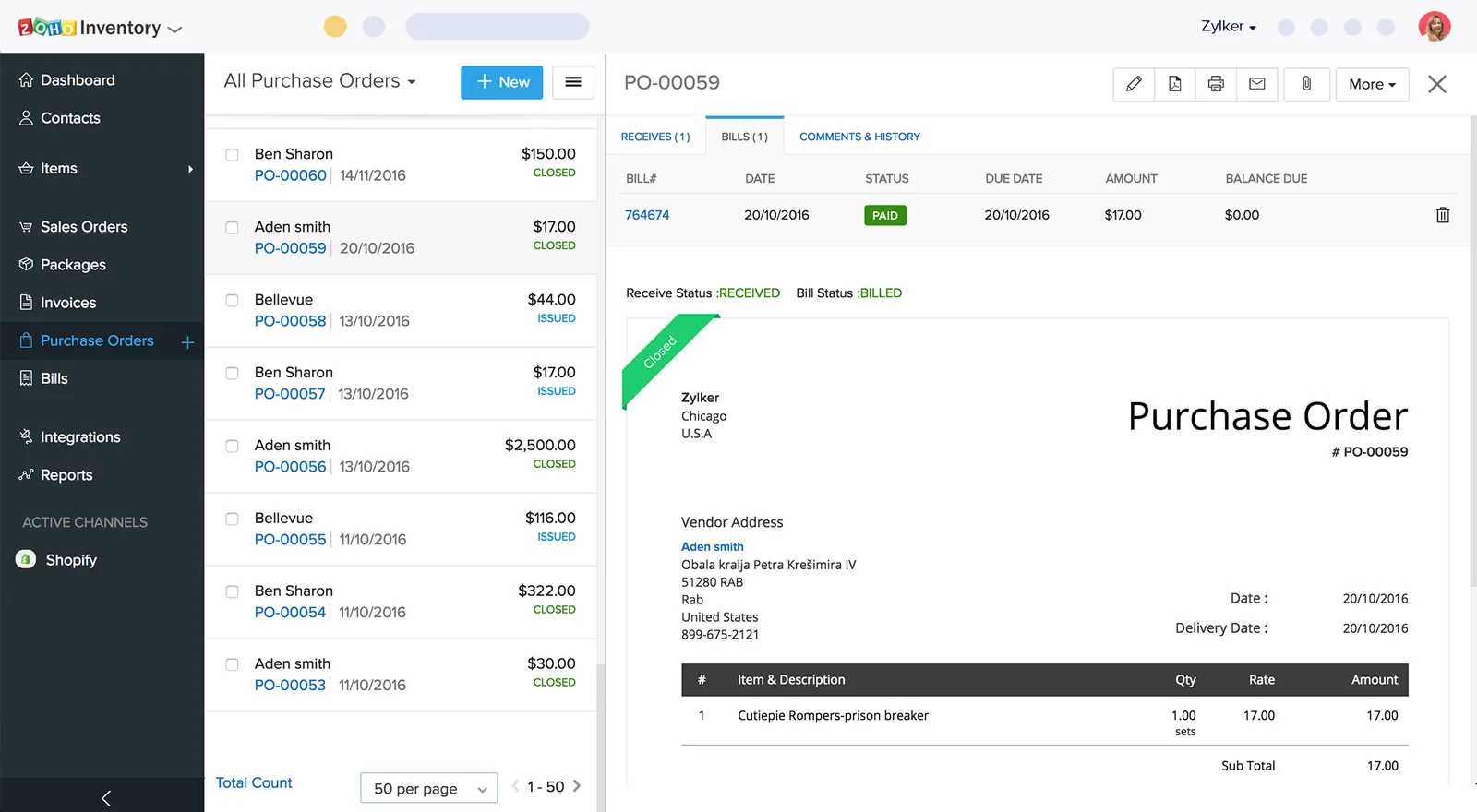
Zoho Inventory gives each role a working view of stock, orders and shipments without exporting to Excel.
We do not promise percentages. These are the practical changes our UAE clients describe after a careful rollout.
Reorder alerts and purchase suggestions replace guesswork, so buyers place orders before shelves run empty.
Sales staff see available quantity rather than total on-hand stock, which cuts the number of orders that cannot be fulfilled.
Barcode scanning and clean item codes make cycle counts a routine task instead of a weekend shutdown.
Because purchases and sales flow straight into Zoho Books, the stock figure on the balance sheet reflects actual movements.
Explore connected services and topics.
We configure the system for the rules UAE businesses report against, and test it before go-live.
General information, not tax or legal advice. Confirm current requirements with the FTA, MOHRE or your advisor. See all UAE compliance guides.
On-site workshops in Dubai, Abu Dhabi and Sharjah, and remote or on-site delivery across the Northern Emirates and free zones.
Official sources and references
Facts on this page were checked against these sources in October 2026. Rules change, so confirm current requirements before acting.
Still have a question? Our consultants are happy to help.
Ask an ExpertFor most UAE businesses, yes. Zoho Inventory manages items, orders and stock movement, while Zoho Books handles the ledger, bank reconciliation and VAT return preparation. The two share contacts, items and transactions, so they work as one system.
Yes. You can create multiple warehouses, transfer stock between them and see quantities per location. Bin-level tracking and some advanced warehouse features depend on your plan, so we confirm the edition during design.
We recommend a physical count close to the go-live date. We then load quantities, costs, batches and serial numbers per warehouse and reconcile the total value to your closing balance sheet figure.
We configure invoice and credit note templates with your TRN, customer TRN, VAT amounts and the other fields a UAE tax invoice requires. Please confirm specific treatments, such as zero-rated exports, with your tax advisor.
Zoho Inventory offers connectors for several ecommerce platforms and marketplaces, and anything without a connector can usually be linked through the API or Zoho Flow. We check the current connectors for your channels during discovery.
A focused rollout for one or two warehouses often takes four to eight weeks. Large item catalogs, many locations or messy legacy data add time, and we give you a realistic plan after discovery.
Related Solutions
Related Industries
Related ERP Platforms
Share your item list and warehouse setup with us, and we will outline a realistic rollout plan for your team.
Dubai, United Arab Emirates