L
O
A
D
I
N
G


Zoho, Odoo, ERPNext, Dynamics 365 and custom ERP, delivered by one accountable team.

We plan and run migrations into Zoho Books, CRM, Inventory and Zoho One, with data cleansing, reconciled opening balances and a cutover date your accountant agrees with.
Zoho migration in the UAE means moving data from Tally, QuickBooks Desktop, Sage, Excel or another CRM into Zoho Books, Zoho CRM, Zoho Inventory or Zoho One. Most businesses migrate master data, open invoices and bills, and reconciled opening balances, carrying over customer and supplier TRNs. Older history is archived in a readable format, and cutover usually aligns with a VAT period or financial year.
Zoho migration in the UAE usually means moving from a desktop accounting package such as Tally, QuickBooks Desktop or Sage, from a patchwork of Excel files, or from another CRM, into Zoho apps. The technical import is the easy part. The hard part is deciding what data to bring, cleaning it, and making sure the numbers in Zoho agree with the numbers your auditor already signed off.
A migration has to respect UAE specifics. Customer and supplier TRNs must carry over. VAT-relevant history may need to stay accessible for record-keeping, even if it is not loaded line by line. Open invoices and bills must arrive with correct due dates so receivables and payables aging are right on day one. Stock must be loaded per warehouse at a value that matches the ledger.
We do not implement Tally, QuickBooks or Sage, but we migrate from them often. Source-specific guides are on our Tally to Zoho migration and QuickBooks to Zoho migration pages. This page covers the overall migration service across all sources and Zoho apps.
The products we configure, integrate and support on projects like this one.


Product names and logos are trademarks of their respective owners and are shown only to identify the software we implement.
These are the problems that most often make migrations late or inaccurate.
Duplicate customers, inactive items and inconsistent account names come along unless they are cleaned first. Zoho then inherits the same mess the business wanted to leave behind.
The trial balance in the old system and the opening position in Zoho differ by small amounts that take weeks to trace. Usually the cause is unposted entries or rounding.
Customer and supplier records arrive without TRNs or with the wrong tax treatment, which affects tax invoices and VAT reports from the first day.
Transactions keep being entered in the old system after data is extracted. The migrated balances are then out of date before go-live.
Bringing every transaction from years of history is slow and rarely needed. Without a clear decision, the project grows far beyond its useful scope.
We follow a tested sequence so the cutover is predictable and reversible until sign-off.
We review the source system, export options, data volumes and quality, and identify what each Zoho app needs.
Together with your accountant, we agree what moves as live data, what moves as summary balances and what stays archived for reference.
We de-duplicate records, standardize names, add missing TRNs and map old accounts, tax codes and item codes to the new Zoho structure.
We load data into a test organization or trial setup, then reconcile totals, aging and stock values against the source reports.
On the agreed date, the old system is frozen, final balances are extracted and loaded, and reconciliation is repeated.
Your finance lead signs off the opening position, and we help you store old system data in a way that remains accessible for records.
What you receive at the end of a migration project.
The biggest variable is data quality. These are typical ranges for small and mid-sized UAE businesses.
Durations are typical ranges; your plan is agreed after discovery.
Source review, sample exports and scope decisions.
Master data cleanup, TRN checks and mapping sheets.
Test load, reconciliation and corrections.
Freeze, final extract, load and repeated reconciliation.
Help with first month-end, first VAT period and any data queries.
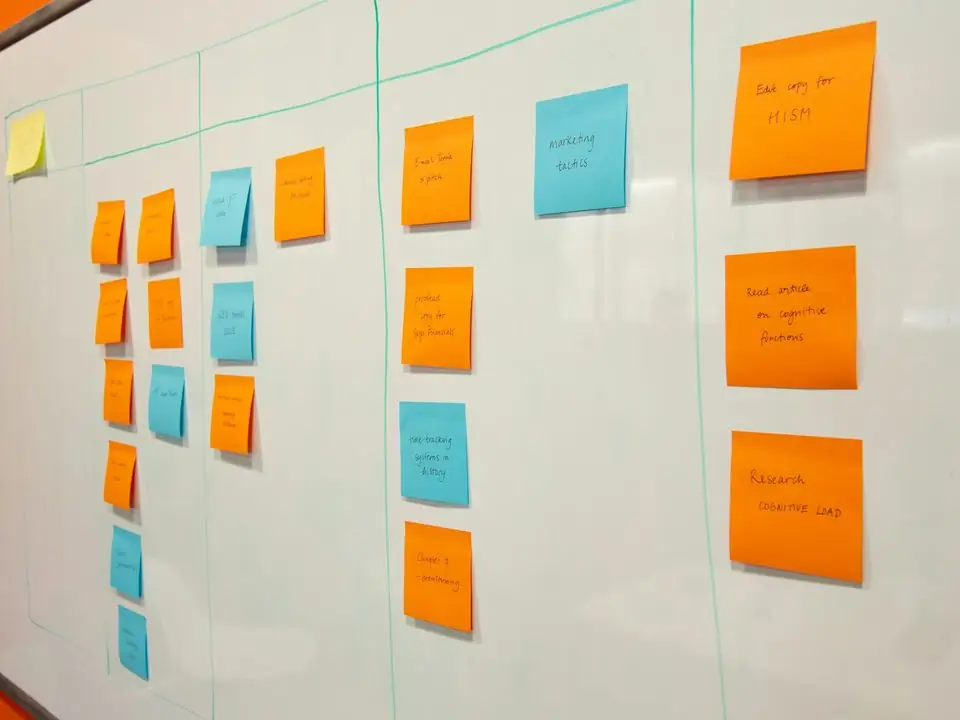
We share a migration tracker so finance can see what has been loaded and reconciled at each stage.
Outcomes our clients value most after moving to Zoho.
A reconciled opening position means your auditor can trace figures from the old system into Zoho without gaps.
De-duplicated, standardized master data makes reports useful from the first week rather than after months of cleanup.
TRNs and tax treatments are in place before the first tax invoice is issued in Zoho.
Reliable trial loads reduce the need to run two systems side by side for long.
Source-specific guides and related services.
We configure the system for the rules UAE businesses report against, and test it before go-live.
General information, not tax or legal advice. Confirm current requirements with the FTA, MOHRE or your advisor. See all UAE compliance guides.
On-site workshops in Dubai, Abu Dhabi and Sharjah, and remote or on-site delivery across the Northern Emirates and free zones.
Official sources and references
Facts on this page were checked against these sources in October 2026. Rules change, so confirm current requirements before acting.
Common sources include Tally, QuickBooks, Sage, Excel, older custom software and other CRMs. If the source can export data to spreadsheets or through an API, we can usually migrate it.
Usually not. Most businesses migrate opening balances, open items and master data, and archive older history in a readable format. Your accountant should confirm what record-keeping requires.
The start of a month or, ideally, the start of a VAT period or financial year keeps reporting simple. We plan the cutover with your finance team and tax advisor.
Contacts, accounts, deals, notes and many activities can be migrated into Zoho CRM. Email history depends on the source and is reviewed case by case.
There is usually a short freeze of a day or two on the old system for final balances. We schedule it to avoid your busiest days.
Yes. For example, moving from Zoho Books alone to Zoho One, or merging separate Zoho organizations after a restructure.
Related Solutions
Related Industries
Related ERP Platforms
Tell us your current system and data volume, and we will propose a migration scope and cutover plan.
Dubai, United Arab Emirates