L
O
A
D
I
N
G


Zoho, Odoo, ERPNext, Dynamics 365 and custom ERP, delivered by one accountable team.

QuickBooks works well for clean, simple books. When your UAE company adds warehouses, entities, approval rules or project costing, we move your QuickBooks data into a full ERP and reconcile every balance.
Migrating from QuickBooks to an ERP in the UAE means mapping the chart of accounts, customers, vendors, classes, locations, items and open invoices and bills into the new system, then tying opening balances and ageing to QuickBooks reports. Usually only masters, open documents and balances move, while history stays archived. Several QuickBooks company files can be merged into one multi-company ERP such as Odoo, Zoho, ERPNext or Dynamics 365.
A QuickBooks to ERP migration in the UAE often follows a period of workarounds. Inventory is tracked in a spreadsheet because QuickBooks item handling is too basic for several warehouses. Purchase approvals happen over email. Each entity in the group has its own QuickBooks file, so consolidation is done in Excel every quarter.
QuickBooks is popular with companies founded by owners from the US, UK or Canada, and with accounting firms that standardized on it for clients. It keeps simple books well. The pressure to move usually comes from operations, not accounting: sales teams need a CRM, warehouses need bins and batches, and management wants project or branch profitability without exporting reports.
This guide covers the decisions that apply to any target. If you have already chosen, see QuickBooks to Odoo, QuickBooks to Zoho or QuickBooks to Dynamics 365. We do not implement QuickBooks; we help companies move from it to Zoho, Odoo, ERPNext, Dynamics 365 or a custom ERP.

These patterns appear in most QuickBooks files we review. None are blockers, but each must be handled deliberately.
Payments received but never grouped into a bank deposit leave a balance in Undeposited Funds. It must be cleared or explained before cut-over, or cash will look wrong in the new ERP.
Classes often track departments, projects and branches at the same time. The new ERP can hold separate dimensions, so the class list needs splitting into meaningful categories.
Companies avoid QuickBooks inventory and sell goods as non-inventory items. Moving to an ERP with real stock means building item masters and opening quantities from a physical count.
UAE groups with a mainland LLC and a free zone company usually run separate QuickBooks files. The ERP can hold both companies, but charts and customer lists must be aligned first.
Where VAT was handled with manual journal entries or custom tax names, each historical treatment must be mapped to a proper tax code in the new system and checked by your tax advisor.
QuickBooks Desktop data is extracted mainly through report exports and list exports, which need restructuring. Online offers more export options but still needs cleaning.
Target names differ across platforms, but the mapping decisions are the same.
| QuickBooks | ERP equivalent | Decision |
|---|---|---|
| Chart of accounts with account types | Chart of accounts | Align with the UAE localization of the target ERP |
| Customers and sub-customers (jobs) | Customers, with projects for jobs | Sub-customers used for jobs usually become projects |
| Vendors | Suppliers or vendors | Add TRN and payment terms consistently |
| Classes | Dimensions, analytic accounts or tags | Split into separate dimensions where classes mixed meanings |
| Locations | Branches, warehouses or a dimension | Decide whether a location holds stock or just reports |
| Products and services | Stockable items, consumables and services | Only items with real stock become stockable |
| Open invoices and bills | Open receivables and payables documents | Keep original numbers and due dates |
| Undeposited Funds | Outstanding receipts or a clearing account | Clear to zero before cut-over where possible |
| Sales tax items and codes | VAT tax codes linked to return boxes | Confirm with your tax advisor |
| Memorized or recurring transactions | Recurring entries, subscriptions or contracts | Rebuild only the ones still used |
We separate the platform decision from the data work so neither is rushed.
We review your QuickBooks edition, number of companies, lists, items and reconciliation status, and note where workarounds live outside QuickBooks.
Based on your operations we compare Zoho, Odoo, ERPNext and Dynamics 365 Business Central and explain the trade-offs in plain terms.
Bank reconciliations are brought up to date, Undeposited Funds cleared, inactive lists marked and duplicates merged before export.
Lists and balances are loaded into a test system and compared with QuickBooks balance sheet, A/R aging and A/P aging at the same date.
QuickBooks is closed for posting at the agreed date, final balances load and users start in the ERP. QuickBooks access is retained for history.
Clear outputs so your auditor can follow the trail from QuickBooks to the new ERP.
Hedged ranges for a single entity. Each extra QuickBooks company adds mapping and reconciliation time.
Durations are typical ranges; your plan is agreed after discovery.
File review, process interviews, target selection.
Run in parallel with design; often done by your bookkeeper with our list.
Accounts, dimensions, tax codes, stock and approval flows.
Trial loads, reconciliation and role-based training.
Cut-over and support through the first close.
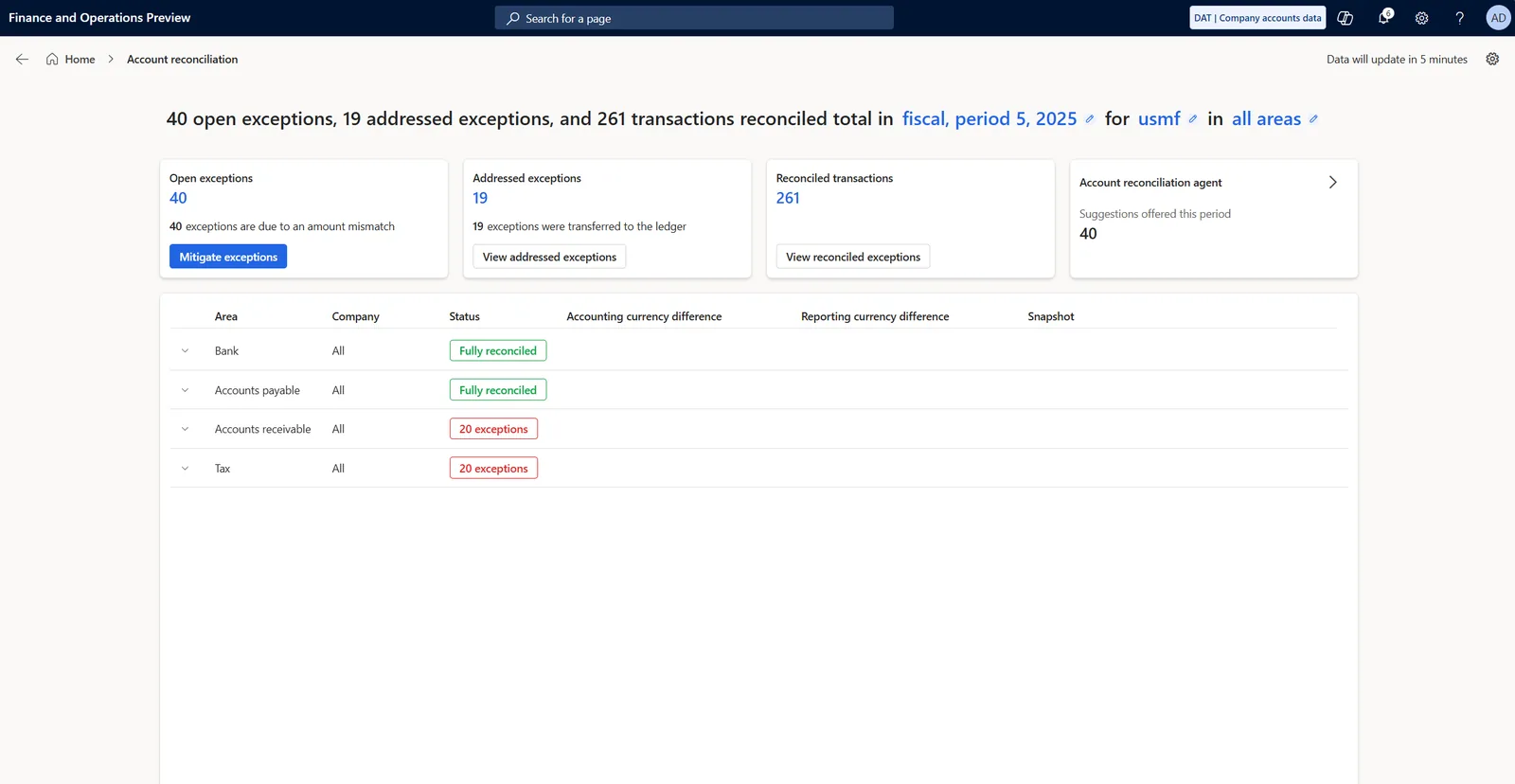
Finance and management see the same view of progress and open issues.
Platform-specific routes and supporting guides.
We configure the system for the rules UAE businesses report against, and test it before go-live.
General information, not tax or legal advice. Confirm current requirements with the FTA, MOHRE or your advisor. See all UAE compliance guides.
On-site workshops in Dubai, Abu Dhabi and Sharjah, and remote or on-site delivery across the Northern Emirates and free zones.
Official sources and references
Facts on this page were checked against these sources in October 2026. Rules change, so confirm current requirements before acting.
Yes, mostly for extraction. QuickBooks Online offers more list and report exports, while Desktop data usually comes out through report exports and sometimes third-party tools. The mapping work is similar for both.
Usually not. We move masters, open documents and opening balances, and keep historical detail in QuickBooks or an exported archive. If comparative reporting is needed, monthly summary balances for prior periods can be loaded.
Yes. Most ERPs we implement support multiple companies in one system. Each QuickBooks file becomes a company, with shared customers or items where it makes sense and intercompany rules set up.
You need access to historical records for the UAE retention period. Some companies keep a read-only subscription; others export full reports and backups. Confirm retention needs with your tax advisor.
Zoho Books and Zoho One are common for service firms and smaller traders, Odoo for companies with real stock and sales operations, and Business Central for groups already on Microsoft 365. The right answer depends on your processes.
Related Solutions
Related Industries
Related ERP Platforms
Tell us your QuickBooks edition and what is not working, and we will suggest a target and a migration plan.
Dubai, United Arab Emirates