L
O
A
D
I
N
G


Zoho, Odoo, ERPNext, Dynamics 365 and custom ERP, delivered by one accountable team.

We help UAE companies move off SAP Business One by first getting the data out cleanly, then choosing between Odoo, Zoho, ERPNext, Dynamics 365 or custom ERP on fit rather than habit.
An SAP Business One migration in the UAE should start with the data, not the new software. Business partners, items, accounts, journal entries, invoices, warehouses and batch or serial records are profiled from tables such as OCRD, OITM, OACT and OJDT, along with user-defined fields, before choosing between Odoo, Zoho, ERPNext, Dynamics 365 or custom ERP on fit.
An SAP Business One migration in the UAE usually begins with a business trigger: a renewal quote for annual maintenance, a partner who has stopped responding, an aging SQL Server box in a Dubai server room, or a group that wants branches, a warehouse app and CRM on one cloud platform. Whatever the trigger, the first job is the same. You need a clear picture of what lives inside your SAP B1 company database and what has to come across.
SAP Business One stores its data in well-known tables: business partners in OCRD, items in OITM, the chart of accounts in OACT, journal entries in OJDT and JDT1, sales invoices in OINV, purchase orders in OPOR, warehouses in OWHS, and batch and serial records in OBTN and OSRN. Many companies have also added user-defined fields and user-defined tables over the years. We profile all of this before anyone signs a new licence, so the target system is chosen with the real data in view.
To be clear about our role: we do not implement or support SAP. We are a Zoho Premium Partner, Odoo Official Partner, Microsoft Partner for Dynamics 365 and an ERPNext partner, and we also build custom ERP. On this page we explain how we take you out of SAP Business One. If you already know your destination, our route pages for SAP Business One to Odoo and SAP Business One to Dynamics 365 go deeper.

SAP B1 is a mature product, and companies that ran it for years tend to have deep, interlinked data. These are the issues we see most often in UAE exits.
Many SAP B1 sites rely on third-party add-ons for payroll, production, document approvals or real estate billing. The data in those add-ons often sits in separate tables that a standard export misses.
Years of UDFs on items, business partners and marketing documents accumulate, and nobody remembers which are still used. Moving all of them clutters the new system; dropping the wrong one breaks a report finance depends on.
Maintenance renewals, database access rights and the cost of extra consultant days from your current partner can all affect when and how you extract data. A late extract during a dispute is the worst position to be in.
UAE traders often run AED, USD and EUR side by side in SAP B1 with periodic exchange-rate revaluations. Open items must carry their original currency and rate, or the first revaluation in the new system will throw out unexplained differences.
Tax codes in SAP B1 were set up in 2017 or 2018 and often patched since. You still need to retain records for the period the FTA requires, so the history you leave behind must stay readable and retrievable.
Below is a platform-neutral view of the main SAP B1 objects and where they usually land. Each target platform has its own structures, which we cover in the route-specific pages.
| SAP B1 source | What it holds | Typical target object | Migration note |
|---|---|---|---|
| OCRD / CRD1 / OCPR | Customers, vendors, leads, addresses, contact persons | Customer and vendor masters with contacts | Split by CardType; carry TRN and payment terms |
| OITM / OITW | Items and per-warehouse stock data | Item or product master with warehouse stock | Review inactive items before loading |
| OACT | Chart of accounts with segments | Chart of accounts aligned to UAE reporting | Often simplified; keep a mapping file |
| OJDT / JDT1 | Journal entries and lines | Opening balances or summarized monthly journals | Full history rarely needed in the new ledger |
| OINV / ORIN (open) | Unpaid sales invoices and credit notes | Open receivables by document | Keep original number, date, currency and VAT |
| OPCH / ORPC (open) | Unpaid vendor invoices and credit notes | Open payables by document | Needed for aging and payment runs |
| OWHS / OBIN | Warehouses and bin locations | Warehouses, locations or bins | Match physical layout, not old codes |
| OBTN / OSRN | Batch and serial numbers | Lot and serial tracking records | Load with expiry dates where relevant |
| OITT / ITT1 | Bills of materials | BOMs or production recipes | Confirm units of measure and scrap factors |
| OPRJ / OPRC | Projects and profit centers | Analytic accounts, dimensions or cost centers | Decide structure before loading journals |
| OSTC | Tax codes and rates | Tax codes for 5%, zero-rated, exempt, reverse charge | Confirm treatment with your tax advisor |
Table names are standard SAP Business One objects. Your database may include add-on or user-defined tables that we add to the mapping during profiling.
We run the exit in a fixed order so that decisions are made on evidence and the cut-over date is realistic.
We agree read access to the SAP B1 database or to exports prepared by your IT team, then count records, find active versus dormant masters and list every UDF, UDT and add-on table in use.
With the profile in hand, we compare Odoo, Zoho, ERPNext, Dynamics 365 Business Central and custom ERP against your processes. We say plainly when a target is a poor fit, including cases where staying on SAP B1 for another year is the sensible call.
Finance, sales and warehouse leads sign off a field mapping. We merge duplicate business partners, retire dead items and decide how much transaction history to carry versus archive.
We load into a test instance at least twice, then reconcile trial balance, receivables, payables and stock value against SAP B1 reports for the same cut-off date.
We freeze posting in SAP B1, run the final extract, load closing balances and open documents, and hand you a read-only archive of the SAP B1 data you did not migrate.
These deliverables stay with you after the project, whether or not you keep working with us.
Durations depend on data volume, add-ons and the target platform. These are typical ranges, not commitments.
Durations are typical ranges; your plan is agreed after discovery.
Database access agreed, tables counted, add-ons identified, risks listed.
Workshops, demos on your own sample data, and a written recommendation.
Field mapping signed off, duplicates resolved, history scope agreed.
At least two full rehearsals with reconciliations reviewed by finance.
Final extract, go-live, first month-end close supported on the new ERP.
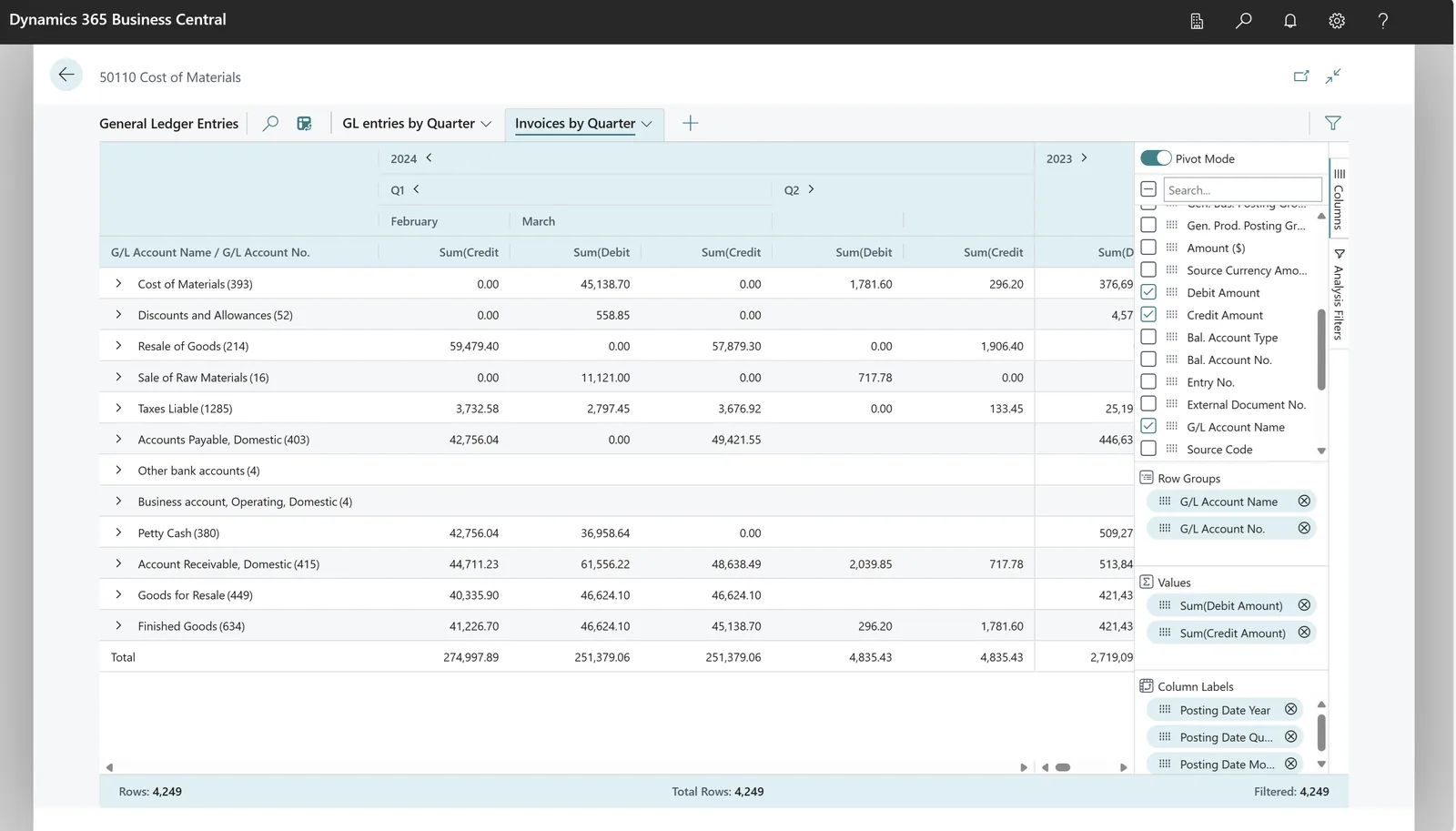
We track the migration in a shared tracker so your finance manager and IT lead see the same status.
Compare targets and read the route-specific guides.
We configure the system for the rules UAE businesses report against, and test it before go-live.
General information, not tax or legal advice. Confirm current requirements with the FTA, MOHRE or your advisor. See all UAE compliance guides.
On-site workshops in Dubai, Abu Dhabi and Sharjah, and remote or on-site delivery across the Northern Emirates and free zones.
Official sources and references
Facts on this page were checked against these sources in October 2026. Rules change, so confirm current requirements before acting.
Still have a question? Our consultants are happy to help.
Ask an ExpertNo. We do not implement or support SAP products. If the assessment shows staying on SAP B1 is the better option for now, we will tell you so and you would continue with your existing SAP partner.
It depends on the business. Traders and distributors often look at Odoo or Business Central, service firms frequently consider Zoho, and companies wanting open source with low licence cost look at ERPNext. We compare them on your real data before recommending one.
Usually not. Most companies bring masters, open documents, opening balances and perhaps summarized monthly figures for comparison, then keep detailed history in a read-only archive. You must still be able to retrieve records for the retention period the FTA requires, so the archive is part of the plan.
We map each SAP B1 tax code to an equivalent code in the new system for standard-rated, zero-rated, exempt and reverse-charge supplies. Open invoices keep their original tax amounts. Please confirm the treatment of any unusual codes with your tax advisor.
A focused move for a single company often takes around 8-14 weeks from profiling to go-live. Multiple companies, heavy add-on data or manufacturing can extend that, and we give you a plan after the profiling phase.
Related Solutions
Related Industries
Related ERP Platforms
Call +971 55 145 3265 or email contact@uaeerpexperts.com and we will scope the extract before you commit to a new platform.
Dubai, United Arab Emirates