L
O
A
D
I
N
G


Zoho, Odoo, ERPNext, Dynamics 365 and custom ERP, delivered by one accountable team.

As an Odoo Official Partner, we move Tally Prime companies into Odoo Accounting, Inventory, Sales and Purchase, rebuilding the structure so Odoo's automated stock valuation and analytic reporting work from the first day.
To migrate from Tally Prime to Odoo in the UAE, companies export Tally data, reshape it and load it through Odoo's Excel and CSV import, while rebuilding the structure: godowns become Odoo warehouses, costing methods are chosen per product category and the UAE fiscal localisation sets VAT taxes. UAE ERP Experts, an Odoo Official Partner, runs test migration rounds before cut-over.
A Tally Prime to Odoo migration in the UAE is most common among trading and distribution companies that want accounting, stock, purchasing and sales in one database. In Tally, the accountant posts what operations tell them. In Odoo, a confirmed sales order creates a delivery, the delivery moves stock and posts its cost, and the invoice follows from the order. The books are produced by the operation rather than typed after it.
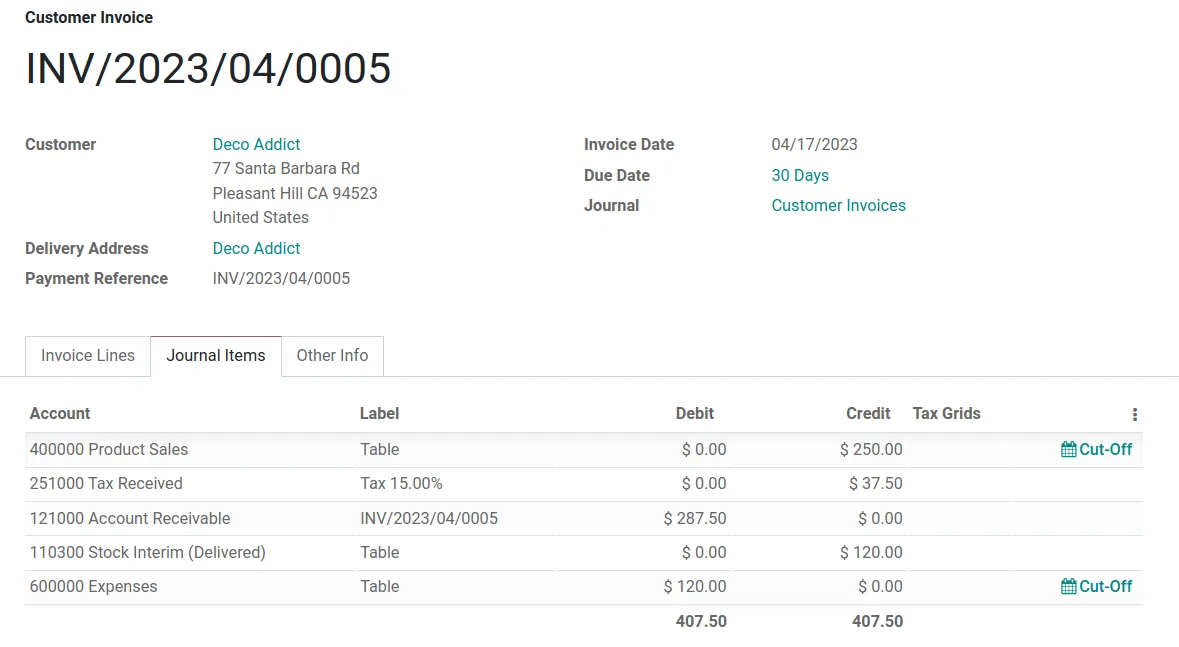
That shift is the main thing to plan. Tally lets you post a sales voucher with stock and value in one step. Odoo separates the delivery from the invoice and, with perpetual valuation turned on, posts stock journal entries automatically. If product categories, stock accounts and costing methods are not set correctly before data is loaded, the opening stock value in Odoo will not match the Tally closing stock report.
We are an Odoo Official Partner, and our Odoo implementation team handles the migration and the process redesign together. If you are still deciding between platforms, our neutral Tally to ERP migration guide compares the options first.

The products we configure, integrate and support on projects like this one.
 Odoo Invoicing / Accounting
 Odoo Sales
 Odoo CRM
 Odoo Inventory
 Odoo Purchase
 Odoo Manufacturing
Product names and logos are trademarks of their respective owners and are shown only to identify the software we implement.
These differences cause most of the reconciliation issues we see when companies try a do-it-yourself import into Odoo.
Tally values stock from vouchers at period end, while Odoo values each move as it happens. Opening quantities must be loaded through an inventory adjustment so Odoo creates the matching valuation layers.
Every Sundry Debtor and Sundry Creditor ledger becomes a contact in Odoo, linked to one receivable or payable account. Splitting by ledger the Tally way would break Odoo's partner ledger and follow-up reports.
Tally cost categories map to Odoo analytic plans and accounts. You need to decide which plans are required on which journals, or project and branch reports will have gaps.
Tally has Sales, Purchase, Receipt, Payment, Contra and Journal vouchers with custom types on top. Odoo uses journals per bank, cash account and document type, so the mapping needs thought.
Odoo groups units into categories and converts between them, for example cartons to pieces. Free-text Tally units like Nos and Pcs need cleaning before products can be imported.
Custom Tally invoice layouts with Arabic text or extra fields need to be rebuilt as Odoo report templates, sometimes with Odoo Studio in Enterprise or a small module in Community.
A condensed version of the mapping workbook we agree with your finance team. Odoo model names are shown where they help your IT team.
| Tally Prime | Odoo destination | Notes |
|---|---|---|
| Primary and sub groups | Chart of accounts (account types) from the UAE localization | Extend the localized chart instead of recreating Tally groups |
| Sundry Debtors and Creditors ledgers | Contacts (res.partner) with receivable and payable accounts | Include TRN, emirate, payment terms and credit limit |
| Bank and cash ledgers | Bank and cash journals | Each bank account gets its own journal for reconciliation |
| Cost categories and cost centres | Analytic plans and analytic accounts | Branch, project or department as separate plans |
| Stock groups and categories | Product categories | Category holds costing method and stock accounts |
| Stock items | Products (storable) with internal reference and barcode | Variants only where items differ by size or color |
| Godowns | Warehouses and internal locations | Sub-godowns become child locations |
| Batches and expiry | Lots with expiration dates (Inventory settings) | Load current lot balances only |
| Bill-wise outstanding | Open customer invoices and vendor bills | Original numbers kept in the reference field |
| VAT classifications | Taxes and tax groups linked to the VAT return report | Confirm reverse charge setup with your tax advisor |
Odoo version (for example 17 or 18) affects some menu names but not the mapping approach.
Each step ends with a check your accountant signs off before the next one starts.
We create the Odoo database, install the UAE localization, configure companies, currencies, fiscal year, journals, taxes and product categories with the agreed costing method (Standard, FIFO or AVCO).
Ledger, stock item and godown masters are exported from Tally Prime to Excel, then cleaned and reshaped into Odoo import templates with external IDs so reloads do not duplicate records.
GL balances load through an opening journal entry, open invoices and bills load as documents, and stock loads through an inventory adjustment at agreed unit costs.
We compare Odoo's trial balance, aged receivable, aged payable and inventory valuation reports against Tally's balance sheet, outstanding and stock summary on the cut-over date.
Users start on quotations, purchase orders, receipts and deliveries in Odoo. We stay close through the first VAT period and month-end close.
Everything below is handed over in your Odoo database or as documents you keep.
Hedged ranges for a single-company trading business. Manufacturing, POS or multi-company work adds time.
Durations are typical ranges; your plan is agreed after discovery.
Process walkthroughs, Odoo app selection and mapping workbook.
Accounting, Inventory, Sales and Purchase set up with approvals and print formats.
Usually two loads with reconciliation reports reviewed by finance.
Role-based training for accounts, sales and storekeepers.
Final load, go-live and support through the first close.
During test loads we track counts and reconciliation results so issues are fixed before the final cut-over.
Useful next reads for Tally users moving to Odoo.
We configure the system for the rules UAE businesses report against, and test it before go-live.
General information, not tax or legal advice. Confirm current requirements with the FTA, MOHRE or your advisor. See all UAE compliance guides.
On-site workshops in Dubai, Abu Dhabi and Sharjah, and remote or on-site delivery across the Northern Emirates and free zones.
Official sources and references
Facts on this page were checked against these sources in October 2026. Rules change, so confirm current requirements before acting.
Still have a question? Our consultants are happy to help.
Ask an ExpertOdoo's standard import tool reads Excel and CSV files, so Tally data is exported, reshaped and imported through it. There is no official one-click Tally connector in standard Odoo, which is why the mapping and cleaning work matters.
Enterprise includes features such as full accounting reports, Studio and official support, while Community is free to use but needs more partner work for some functions. We compare both against your needs before you commit.
Many trading companies coming from Tally use average cost, which maps to AVCO in Odoo. FIFO suits batch or expiry-driven businesses. The choice is set per product category and is hard to change later, so we decide it with your accountant before import.
Yes. Odoo supports multiple companies in one database with separate charts, journals and VAT settings, plus intercompany rules. Each Tally company is mapped to its own Odoo company.
With the UAE localization, Odoo produces a VAT report organized by return boxes, which your team then uses to file on EmaraTax. Your tax advisor should review the tax mapping before the first filing.
Related Solutions
Related Industries
Related ERP Platforms
Share your Tally company details and we will scope the Odoo apps, mapping and timeline for your business.
Dubai, United Arab Emirates