L
O
A
D
I
N
G


Zoho, Odoo, ERPNext, Dynamics 365 and custom ERP, delivered by one accountable team.

Old ERP systems hold years of business history and logic that nobody fully documented. We extract it, decide what moves forward and keep the rest accessible for audit.
Migrating from a legacy ERP in the UAE means extracting data from old in-house systems built on Access, FoxPro, VB, .NET or PHP, or packages such as Dynamics NAV and Dynamics GP, deciding what moves forward and archiving the rest. Most companies migrate masters, open items, opening balances and one or two years of summary balances, with full history kept in a searchable read-only archive for audit and tax queries.
A legacy ERP migration in the UAE usually begins with a warning sign rather than a plan. The developer who built your in-house system in the early 2000s has left the country. The vendor of your regional ERP no longer issues updates. The server running Microsoft Dynamics NAV or an old Oracle-based package is out of warranty, and the backup has not been tested in years. The system still works, but every month it gets harder to change, harder to secure and harder to report from.
Legacy systems are also deeply woven into how a company operates. Custom screens match how the warehouse picks orders. Stored procedures calculate commissions or retention on contracts. Nightly jobs push files to the bank or to a parent company. Moving off such a system means understanding what it really does, not just what tables it has.
We migrate legacy systems into Odoo, Zoho, ERPNext, Microsoft Dynamics 365 or a custom ERP where your processes need it. Our focus on this page is the legacy side: reverse-engineering data and logic, deciding what history moves, and archiving the remainder so auditors and the FTA can still be answered years later.

These problems rarely appear when moving from a packaged accounting tool. They are common with older and custom systems.
Table names are cryptic, fields are reused for different purposes, and status codes mean things only long-serving staff remember. We interview users and trace screens to tables to build a data dictionary.
Pricing, approval limits and costing may be written in stored procedures or application code. We read that code, write the rules in plain language and confirm them with the business before rebuilding.
Old database engines, 32-bit clients and expired licences can make even reading the data difficult. We work on copies, in isolated environments, and never on the live server.
Ten or fifteen years of transactions are too much to migrate usefully. The question is which history operations need, and how the rest stays accessible for record keeping.
File drops to banks, biometric attendance imports and links to e-commerce sites were often added informally. Each one must be found and replaced, or it will silently stop at go-live.
Users have learned to work around the old system's limits. Some of those workarounds should disappear in the new ERP, which needs change management as well as data work.
Not every legacy object migrates. Some are rebuilt, some are archived. This is the decision table we use.
| Legacy element | Decision | Target and treatment |
|---|---|---|
| Master data (customers, suppliers, items) | Migrate | Cleansed and loaded into the new ERP masters with mapped codes |
| Open transactions (orders, invoices, bills) | Migrate | Loaded as open documents at the cut-over date |
| General ledger balances | Migrate | Opening trial balance plus monthly balances for comparatives |
| Detailed transaction history | Archive | Kept in a read-only database or reporting tool with search |
| Custom status codes and flags | Translate | Mapped to standard ERP states or custom fields |
| Stored procedures and business rules | Rebuild | Configured as ERP rules, automation or targeted development |
| Scheduled jobs and file interfaces | Replace | Rebuilt as API integrations or scheduled actions in the new ERP |
| Attachments and scanned documents | Archive or link | Moved to a document store and linked to migrated records where needed |
| User accounts and permissions | Redesign | New role-based access built from current job roles, not copied |
UAE tax law requires records to be retained for several years, with periods differing for VAT and corporate tax. Confirm the retention period that applies to you with your tax advisor.
We treat the legacy system as something to study before we move anything out of it.
We take a verified backup and restore it to an isolated environment so analysis never touches the live system.
Tables, fields and codes are documented through user interviews, screen tracing and query analysis.
Logic in code and reports is extracted, written up and approved by process owners.
Each object and rule gets a decision, so scope is clear and agreed in writing.
Scripts extract and reshape data for the new ERP; test loads are reconciled against legacy reports.
After go-live and a stable first close, the legacy system is switched to read-only, then retired with its archive in place.
Points to settle before a legacy system is switched off.
Legacy projects carry more unknowns, so ranges are wider. Discovery shortens the rest of the project.
Durations are typical ranges; your plan is agreed after discovery.
System copy, interviews and documentation of data and rules.
Migrate, rebuild or archive decisions agreed for every object.
Target ERP configured, with rules and integrations rebuilt.
Repeated extraction and reconciliation runs.
Go-live, first close and legacy system moved to read-only.
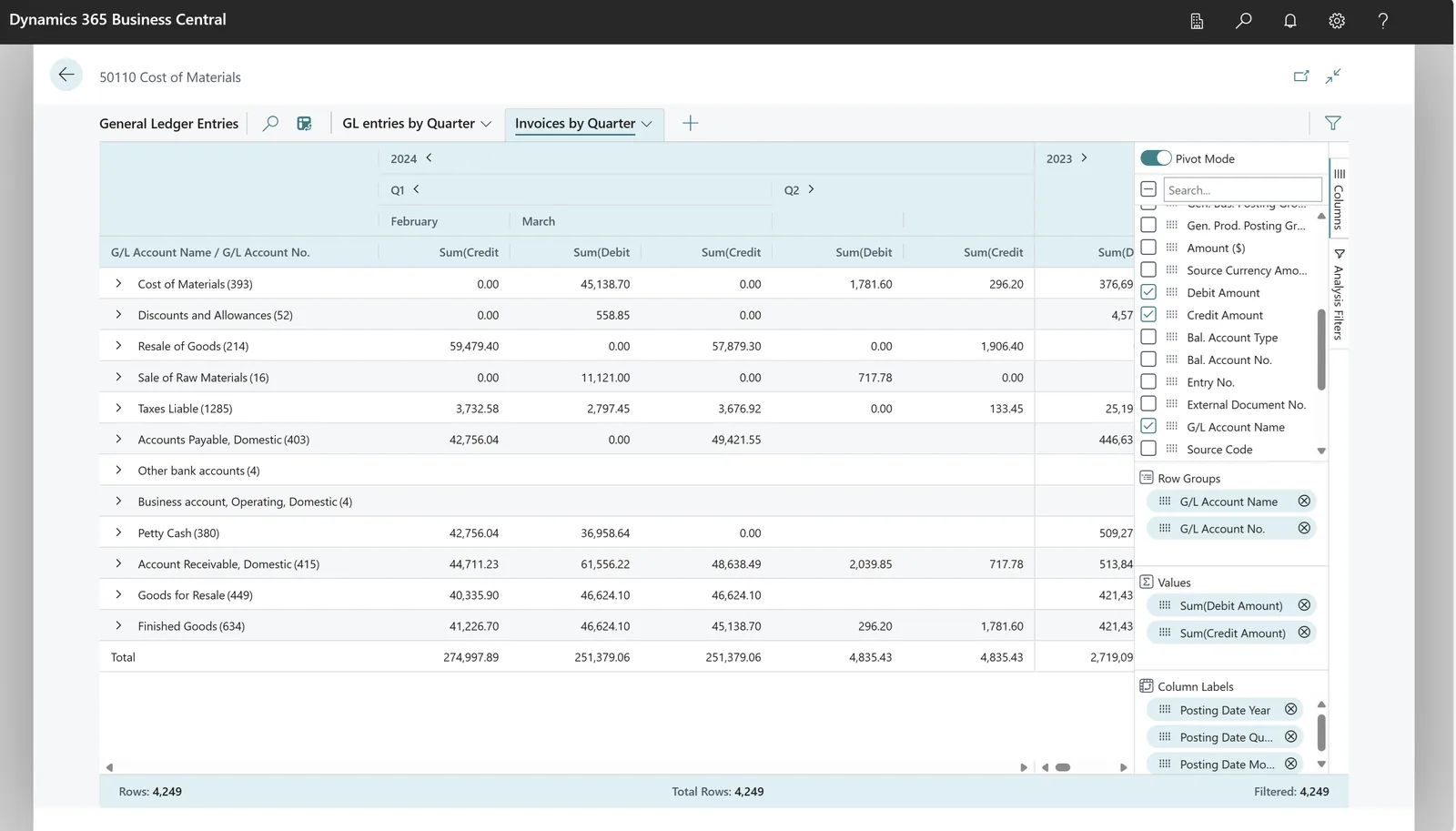
Our tracker covers data, rules and interfaces, because all three must be complete before the old system is switched off.
Other routes away from older systems, and services that support the new ERP.
We configure the system for the rules UAE businesses report against, and test it before go-live.
General information, not tax or legal advice. Confirm current requirements with the FTA, MOHRE or your advisor. See all UAE compliance guides.
On-site workshops in Dubai, Abu Dhabi and Sharjah, and remote or on-site delivery across the Northern Emirates and free zones.
Official sources and references
Facts on this page were checked against these sources in October 2026. Rules change, so confirm current requirements before acting.
Still have a question? Our consultants are happy to help.
Ask an ExpertYes. We work at the database level on a restored copy, using read-only queries to extract the data. Where the database format is very old, we first convert it to a format modern tools can read.
Business Central is the successor to NAV, so there is an upgrade path, but heavily customized NAV databases often benefit from a cleaner re-implementation with data migration. We assess which is safer for your case.
Most companies migrate open items, opening balances and one or two years of summary balances. The full history is archived in a searchable, read-only form.
That is common. We trace outputs back to code and data, test our understanding with sample transactions, and confirm with the business before rebuilding.
The archive keeps transactions, documents and reports searchable and exportable. Confirm the required retention period with your tax advisor.
We plan cut-over around a period end and quieter trading days, rehearse it fully, and keep the legacy system available read-only so staff can look things up.
Related Solutions
Related Industries
Related ERP Platforms
Tell us what system you run and how long it has been in place, and we will outline a safe path to retire it.
Dubai, United Arab Emirates