L
O
A
D
I
N
G


Zoho, Odoo, ERPNext, Dynamics 365 and custom ERP, delivered by one accountable team.

Odoo Documents keeps supplier invoices, trade licences, employee visas and contracts inside the same system as the bills, staff records and projects they relate to. We set it up so people can find a file in seconds and act on it without leaving Odoo.
Odoo document management in the UAE uses the Odoo Documents app, part of Odoo Enterprise, to store files in a structured, tagged folder tree linked to the records they support, such as vendor bills, employees or project tasks. A dropped supplier PDF can create a draft bill, and expiry tracking flags Emirates IDs, visas and trade licences before they lapse.
Odoo document management in the UAE usually starts with a simple complaint: the finance team cannot find the signed delivery note that supports a supplier invoice, or HR discovers an employee's Emirates ID expired last month because the scan sat in someone's inbox. The Odoo Documents app, part of Odoo Enterprise, gives every file a home in a structured folder tree, tags it, and links it to the record it supports, such as a vendor bill, an employee or a project task.
The value is not storage. Shared drives already store files. The value is that a document in Odoo can trigger work: a PDF dropped into the finance folder becomes a draft vendor bill, a contract can be sent for e-signature through Odoo Sign, and a missing passport copy can be requested from an employee with a due date. Each step leaves a trail in the chatter, which helps when an auditor or the Federal Tax Authority asks how a figure was supported.
We are an Odoo Official Partner based in Dubai. We configure Documents alongside Odoo Accounting and Odoo HR so the folder design matches how your teams actually work, rather than copying an old network drive into a new tool.

The products we configure, integrate and support on projects like this one.
 Odoo Invoicing / Accounting
 Odoo Sales
 Odoo CRM
 Odoo Inventory
 Odoo Purchase
 Odoo Manufacturing
Product names and logos are trademarks of their respective owners and are shown only to identify the software we implement.
A typical finance or HR user opens Documents to a filtered view of their own folders, with inbox items waiting for action at the top.
This is the document flow we set up most often for UAE trading and services companies. It removes the step where someone prints, scans and re-keys an invoice.
One shared database: every step updates stock, finance and reports in real time.
These are the parts of the app UAE clients use day to day. Exact menus differ slightly between Odoo versions, so we confirm them against the version you run.
A hierarchy for Finance, HR, Legal, Projects or each legal entity, with its own access rules.
Labels such as document type, emirate or status that make filtering fast when folders grow large.
Ask an employee, customer or supplier for a specific file and track whether it has arrived.
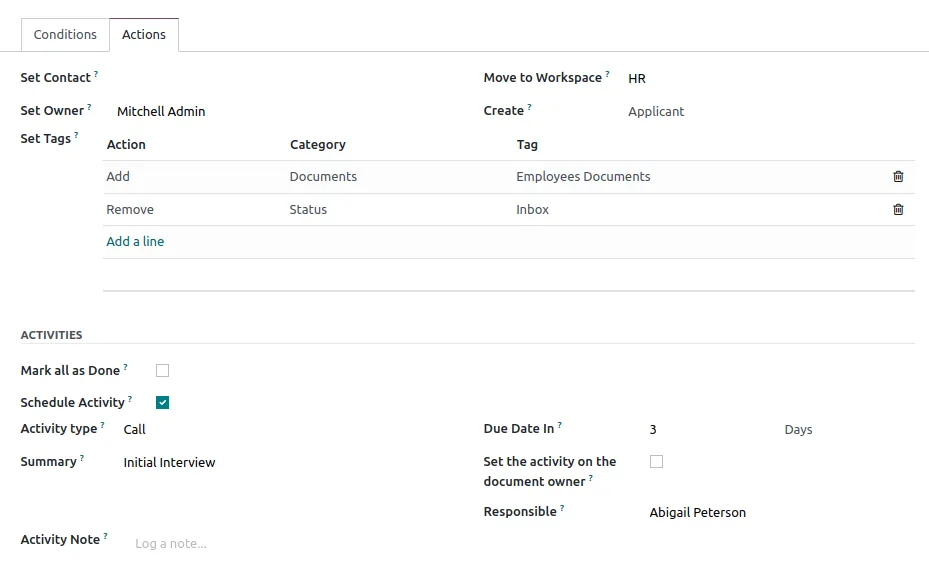
Turn a file into a vendor bill, an expense, a task or a signature request without downloading it.
Optional OCR reads supplier invoices into draft bills. It uses paid credits from Odoo, so we size usage before switching it on.
Send a folder or file to an auditor, bank or client through a link that can be limited or set to expire.
Send contracts, offer letters and handover forms for electronic signature and store the signed copy automatically.
Odoo spreadsheets live in the same app and can pull live figures from Odoo data for reporting packs.
Most of the useful links are inside Odoo itself. External connections are possible but should be kept to the ones you will actually maintain.
A document system supports compliance by keeping evidence organized and traceable. It does not decide what you must keep; confirm specific requirements with your tax advisor or legal counsel.
Tax invoices received must carry the supplier's TRN and the prescribed fields before input VAT is claimed. Linking the original PDF to each vendor bill makes return preparation in EmaraTax easier to support.
UAE tax law requires records to be kept for a minimum period, commonly at least five years and longer for some real estate records. We set folder rules so files are archived rather than deleted; confirm the period that applies to you with your advisor.
Under Federal Decree-Law No. 47 of 2022, you need documents that support taxable income and any relief or exemption claimed. A dedicated corporate tax folder with year and entity tags keeps that evidence together.
As the PINT AE e-invoicing model phases in from 2027, structured invoices will be exchanged through Accredited Service Providers. PDFs will still matter for internal review, but the legal invoice becomes the structured file. Check the latest Ministry of Finance and FTA guidance for dates.
Labour contracts, Emirates ID and visa copies support MOHRE and WPS processes. Restricted HR folders and expiry tags help you renew documents before they lapse.
General information, not tax or legal advice. Rules change; confirm current FTA, MOHRE and Ministry of Finance guidance with your advisor.
These points save the most rework when we roll out Odoo document management for UAE clients.
Explore the Odoo apps and services that work with document management.
We configure the system for the rules UAE businesses report against, and test it before go-live.
General information, not tax or legal advice. Confirm current requirements with the FTA, MOHRE or your advisor. See all UAE compliance guides.
On-site workshops in Dubai, Abu Dhabi and Sharjah, and remote or on-site delivery across the Northern Emirates and free zones.
Official sources and references
Facts on this page were checked against these sources in October 2026. Rules change, so confirm current requirements before acting.
Still have a question? Our consultants are happy to help.
Ask an ExpertNo. Documents is an Enterprise app, so you need an Odoo Enterprise subscription to use it. Community users can attach files to records, but they do not get the central folder structure, requests or file actions.
Bill digitization works best on clear, machine-generated PDFs. Results on Arabic or bilingual invoices vary by layout, so we test a sample of your real suppliers before you rely on it and keep a manual review step in place.
We map old folders to the new structure, clean out duplicates and import files in batches. Files that belong to a specific bill or employee are linked during import where the reference can be matched; the rest go to a tagged archive.
Yes. You can share a folder or a filtered set of files through a link. We recommend limiting the scope and setting an expiry date for each audit.
For most SMEs and mid-sized firms whose documents relate to ERP transactions, it is enough. Companies with heavy engineering drawings, complex version control or strict records management policies may still need a specialist system alongside Odoo.
When Odoo is already live, a focused Documents rollout often takes two to four weeks, depending on how many folders, aliases and migrated files are involved.
Related Solutions
Related Industries
Related ERP Platforms
Send us your current folder structure and we will propose an Odoo layout, access model and migration plan.
Dubai, United Arab Emirates