L
O
A
D
I
N
G


Zoho, Odoo, ERPNext, Dynamics 365 and custom ERP, delivered by one accountable team.

We set up and, where needed, build mobile ERP apps for managers approving on the go, sales reps visiting customers, warehouse staff scanning stock and technicians on site.
Yes. Most ERP platforms used in the UAE offer mobile apps for approvals, sales orders, barcode scanning and field service. Zoho has apps for CRM, Books, Inventory, Expense and FSM; Odoo runs as a responsive web app with barcode and field service; Microsoft provides apps for Business Central and Field Service. Custom mobile apps are built only where a workflow does not fit the standard ones.
An ERP Mobile App UAE project starts with the people who spend their day away from a desk: a sales rep driving between customers in Deira and Al Quoz, a storekeeper in a Jebel Ali warehouse, an HVAC technician on a villa job in Abu Dhabi, or a director approving payments between flights. Each needs a few tasks done quickly on a phone or a rugged handheld.
We start with the mobile apps each platform already offers. Zoho has mobile apps for CRM, Books, Inventory, Expense and FSM. Odoo runs in a responsive web app with barcode, field service and point-of-sale features. ERPNext has a mobile-friendly web interface and a mobile app for Frappe HR tasks. Dynamics 365 Business Central and Field Service have mobile apps from Microsoft.
Where those apps do not fit a workflow, we build lightweight custom apps or progressive web apps on top of the ERP's API, using our API integration approach. Offline use is handled with care, because UAE warehouses, basements and remote sites do not always have signal.
Rollout planning matters as much as the app. We look at who supplies the devices, how lost phones are handled, whether staff share handhelds across shifts, and how updates reach users. These details decide whether a mobile ERP project sticks after the first month.

Without mobile access, field data reaches the ERP late, incomplete or not at all.
Sales reps take orders on paper or WhatsApp and type them in at the office. Prices and stock are not checked at the customer's counter.
Managers travelling between emirates or abroad cannot approve until they log in at a desk. Suppliers and staff wait.
Warehouse teams count on paper, then key in figures. Typing errors and delays make inventory figures unreliable.
Technicians fill in job sheets at the end of the day. Parts used, hours and customer sign-off go missing, so invoicing slips.
Basements, cold stores and remote project sites lose signal. Apps that need constant connection fail at the worst moment.
We prefer configuring the platform's own app before building anything new.
For each role we list the few tasks done away from a desk, how often, on which device and with what connectivity.
We test those tasks in the platform's standard mobile app and adjust layouts, fields and permissions to suit.
For warehouse work we help choose between phone camera scanning, Bluetooth scanners and Android handhelds with built-in scanners.
For gaps, we build a focused custom app or progressive web app with offline storage and sync to the ERP's API.
A small group uses the app in real conditions for a few weeks. We fix issues before rolling out to all users.
Scope depends on which roles go mobile first.
Configuring native apps is quicker than building custom ones. Ranges below assume one or two roles in the first release.
Durations are typical ranges; your plan is agreed after discovery.
Ride along or shadow field users to see real conditions.
Configure standard apps, roles and layouts.
Develop focused screens, offline storage and API sync.
Run with a small team in live conditions and refine.
Train remaining users and hand over device setup notes.
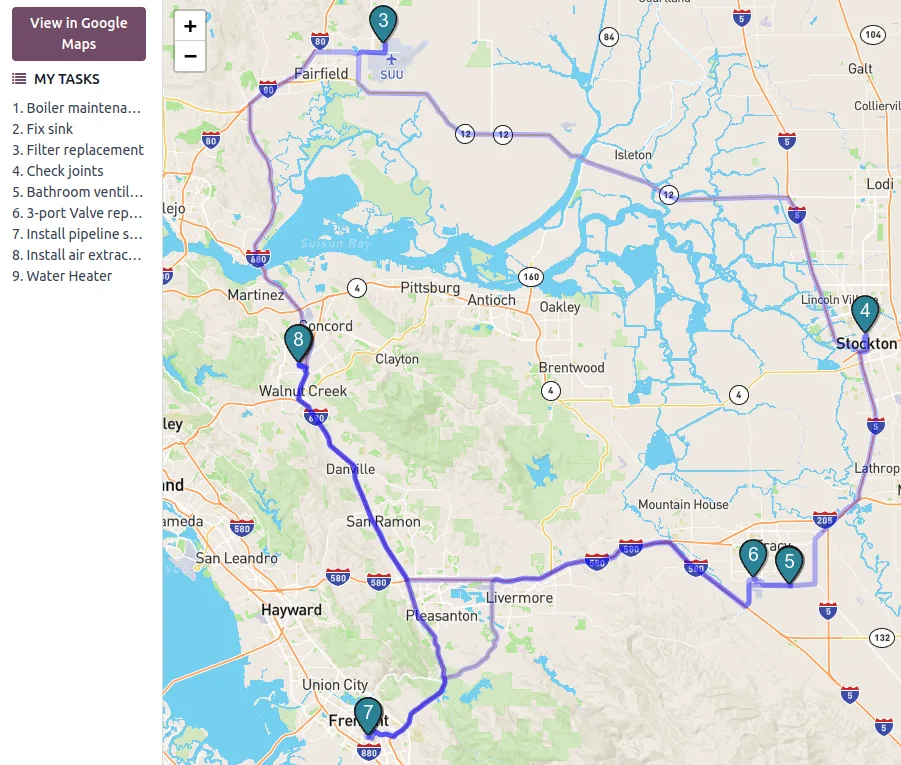
Supervisors see what is happening in the field as mobile users update records.
Typical goals for mobile projects. We do not promise specific percentages.
Orders, counts and job details are recorded when and where they happen, not hours later.
Managers act from their phone, so documents do not wait for them to reach a desk.
Completed jobs and delivered orders reach finance the same day.
Scanning and picklists replace retyping from paper.
Platform and module pages linked to mobile use.
We configure the system for the rules UAE businesses report against, and test it before go-live.
General information, not tax or legal advice. Confirm current requirements with the FTA, MOHRE or your advisor. See all UAE compliance guides.
On-site workshops in Dubai, Abu Dhabi and Sharjah, and remote or on-site delivery across the Northern Emirates and free zones.
Official sources and references
Facts on this page were checked against these sources in October 2026. Rules change, so confirm current requirements before acting.
Often not. The standard apps from Zoho, Odoo, ERPNext and Microsoft cover many approval, sales and inventory tasks. We build custom apps only where a workflow does not fit.
It depends on the app. Some standard apps offer limited offline use, while custom apps can be built with local storage and sync. We check offline needs during task mapping.
Phone cameras work for low volumes. For busy warehouses, Android handhelds with built-in scanners or Bluetooth scanners are faster and more reliable. We recommend based on volume and environment.
Most platform apps support Arabic interfaces, and custom apps can be built bilingual. Customer-facing documents such as delivery notes can be printed in Arabic and English.
Access uses the same user roles as the ERP, with options such as two-factor authentication and remote sign-out of lost devices, depending on the platform.
Many setups let reps record cash or cheque collections against invoices, with a receipt number and photo of the cheque. Finance then reconciles collections against bank deposits in the ERP.
Related Solutions
Related Industries
Related ERP Platforms
Tell us which field roles need mobile access first and we will map the quickest path.
Dubai, United Arab Emirates